
I was using GNS3 for a while to run virtual routers, e.g., Juniper’s vMX (which is in the meantime deprecated) or the newer vJunos Router.
Recently, I came across Containerlab, which makes it even more lightweight.
The setup that want to share today is how I started running virtualized vJunos routers:
- using Containerlab to deploy router topologies, similar to GNS3 and Cisco Packet tracer, just modern
- using vrnetlab to distribute router VM images as OCI container image
- using AWS Nested Virtualization, which no longer requires expensive metal instances
- using DevPod to launch VS Code with a remote workspace running on an EC2 instance
Containerlab and vrnetlab
Containerlab is a modern alternative to GNS3 and developed as open source by Nokia. It appears to me as a very active and innovative project, which supports for more than only Nokia’s SR routers (which you find by default in the documentation).
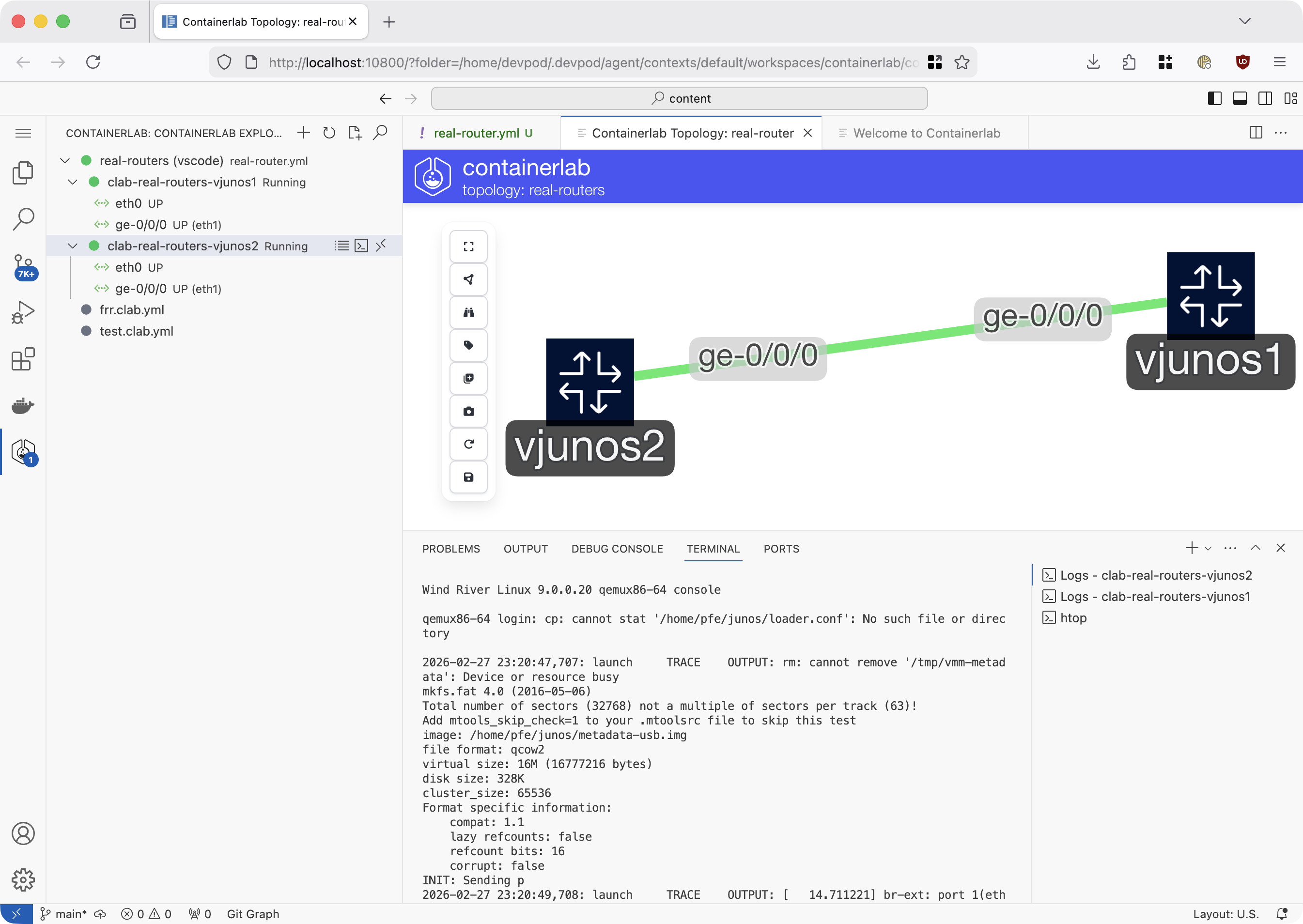
As the name suggests, its using containers for deploying routers and nodes for testing in a virtualized topology. The lab configuration is described as a YAML file:
# real-routers.yaml

name: real-routers

topology:
  groups:
    vjunos:
      kind: juniper_vjunosrouter
      image: my-registry/containerlab/vjunos-router:25.2R1.9
      memory: 8Gb

  nodes:
    vjunos1:
      group: vjunos
    vjunos2:
      group: vjunos

  links:
    # emnify
    - endpoints: [ "vjunos1:ge-0/0/0", "vjunos2:ge-0/0/0" ]
However, not all vendors provide container images for their routers, but only full-fledged VMs. An example is vJunos router, which is also available as free download.
The extremely neat approach is that using vrnetlab can wrap this VM image for qemu within a container image - for pretty much all the known vendors.
It will still run qemu, but its nicely integrated in the regular Containerlab experience.
After download of the image, the guide can be summarized as running make in the right directory and then pushing the generated image to an OCI registry.
Originally, Containerlab did not provide a user interface, but only CLI command. This recently changed, when they recently launched an extremely neat VS Code extension. Besides the basic of seeing the list and status of routers in the topology, one can access logs and shells, as well as open one of multiple ways to visualize the topolgy.
AWS Nested Virtualization
For running such router VMs (wrapped in containers), one needs either a beefy Linux laptop, or some other server. For me as AWS user, this meant using very expensive metal instances (> $4/hour), which we better do not forget to shut down once finished.
Recently, AWS changed this and offers Nested Virtualization also in “regular” EC2 instances with Intel CPU r8i, m8i, and c8i. Depending on how many routers we want to run, this can result in a 10x cost saving.
DevPod
Another project that I was using occasionally throughout the past years was DevPod.
It provides a “self-hosted” alternative to GitHub Codespaces:
Using a devcontainer.json file in teh repo, one can provide a consistent developer experience for a team, such as tools that are automatically installed and VS Code configuration streamlined.
In the Containerlab docs it’s described here.
Originally developed by loft-sh (now vCluster), a fork by Samuel Kevetter (skevetter) is very actively maintaining a fork.
I have contributed a patch, which allows DevPod to request nested virtualization to be switched on.
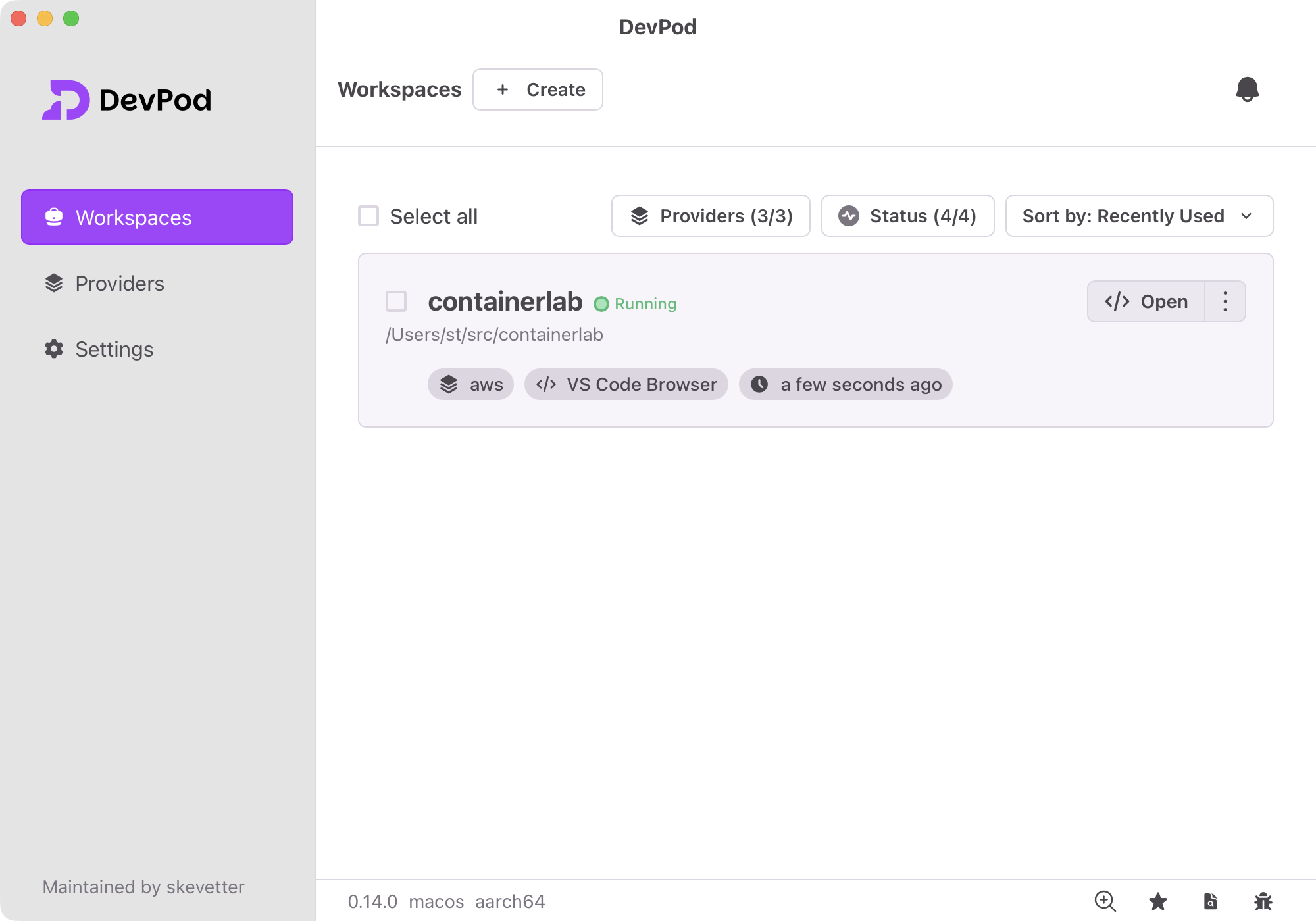
And this is where the magic comes together:
- The project is opened in DevPod. In the background, it uses its AWS provider to launch an EC2 instance (e.g.
m8i.2xlarge) with proper IAM permissions to pull from our ECR repo. - DevPod installs required tools, such as AWS CLI and logs into the container registry
- Afterwards, it launches VS Code, which automatically installs the Containerlab extension
- The user can then deploy a topology.
- Console of VM-based routers can be reached via telnet on port 5000
As bonus point: DevPod shuts down unused EC2 instances, by default after 10min.
Here is my .devcontainer/devcontainer.json:
{
  "build": {
    "dockerfile": "Dockerfile"
  },
  "runArgs": [
    "--network=host",
    "--pid=host",
    "--privileged"
  ],
  "features": {
    "ghcr.io/devcontainers/features/docker-outside-of-docker:1": {},
    "ghcr.io/rocker-org/devcontainer-features/apt-packages:1": {
      "packages": "curl"
    }
  },
  "onCreateCommand": "curl --silent https://awscli.amazonaws.com/awscli-exe-linux-x86_64.zip -o awscliv2.zip; unzip -q awscliv2.zip; sudo ./aws/install; aws ecr get-login-password --region eu-west-1 | docker login --username AWS --password-stdin MY_AWS_ACCOUNT_ID.dkr.ecr.eu-west-1.amazonaws.com",
  "workspaceFolder": "${localWorkspaceFolder}",
  "workspaceMount": "source=${localWorkspaceFolder},target=${localWorkspaceFolder},type=bind"
}